Downloads
Run CROSS2OH
- Step 1
This tool runs in a Linux environment and requires prior configuration of the OHOS SDK and downloading the Lycium cross-compilation tool.
1
git clone https://gitcode.com/openharmony-sig/tpc_c_cplusplus.git
- Step 2
Download and configure CROSS2OH’s dependencies
1
2
3
4
5
6
7
8
9
//The list of dependencies for CROSS2OH
mysql
CTags
curl
cmake
gcc, cmake, make, pkg-config, autoconf, autoreconf, automake
...(toolchains)
//eg:
sudo apt install cmake
Note: The installation path of CTags must be explicitly recorded, as CROSS2OH requires this path to be configured for proper functionality during tool execution.
- Step 3
We provided a config.yaml template file.Define the values of the following variables in config.yaml,then place the config.yaml file in the same directory as the jar.
1
2
3
4
5
6
7
8
9
10
11
12
13
14
15
16
    // The output path for detected CPI issues.
    RESULTPATH : "aa/bb/cc";
    // The tpc_c_cplusplus/thirdparty directory serves as the execution path for the cross-compilation process.
    THIRDPARTY_PATH : "aa/bb/cc/tpc_c_cplusplus/thirdparty";
    // The installation directory of the Lycium repository.
    PATH : "aa/bb/cc/tpc_c_cplusplus";
    // OHOS_SDK_PATH
    OHOS_SDK_PATH : "aa/bb/cc/ohos_sdk_your_version/linux";
    // The path to Lycium’s core execution script build.sh.
    SCRIPT_PATH : "aa/bb/cc/tpc_c_cplusplus/lycium/build.sh";
    // The path of CTags
    CTAGS_PATH : "aa/bb/cc/ctags-your_version/ctags";
    // The output path to generate CTags tag file.
    CTAGS_OUTPUTFILEPATH : "aa/bb/cc/dd";
    // The path for copying source files during patch generation.
    TEMPDIRECTORYPATH : "aa/bb/cc/ee";
- Step 4
Provide one or more download links to GitHub-hosted C/C++ libraries with specified version tags.
1
2
//example
//https://github.com/zsummer/log4z/archive/refs/tags/v3.4.0.zip
- Step 5
Run.
Note : At least two parameters need to be specified when running: The first parameter is the path to the config.yaml file, which sets up some necessary addresses. The second and subsequent arguments are the github download link for the c/ C ++ project to be ported.
1
java -jar CROSS2OH-SNAPSHOT-obfuscated.jar  /your/path/config.yaml  https://github.com/zsummer/log4z/archive/refs/tags/v3.4.0.zip
Finally, CROSS2OH downloads the provided compressed package, completes the detection of CPI issues, applies fixes to the identified problems, and generates corresponding *.patch files, which are stored in the configured THIRDPARTY_PATH.
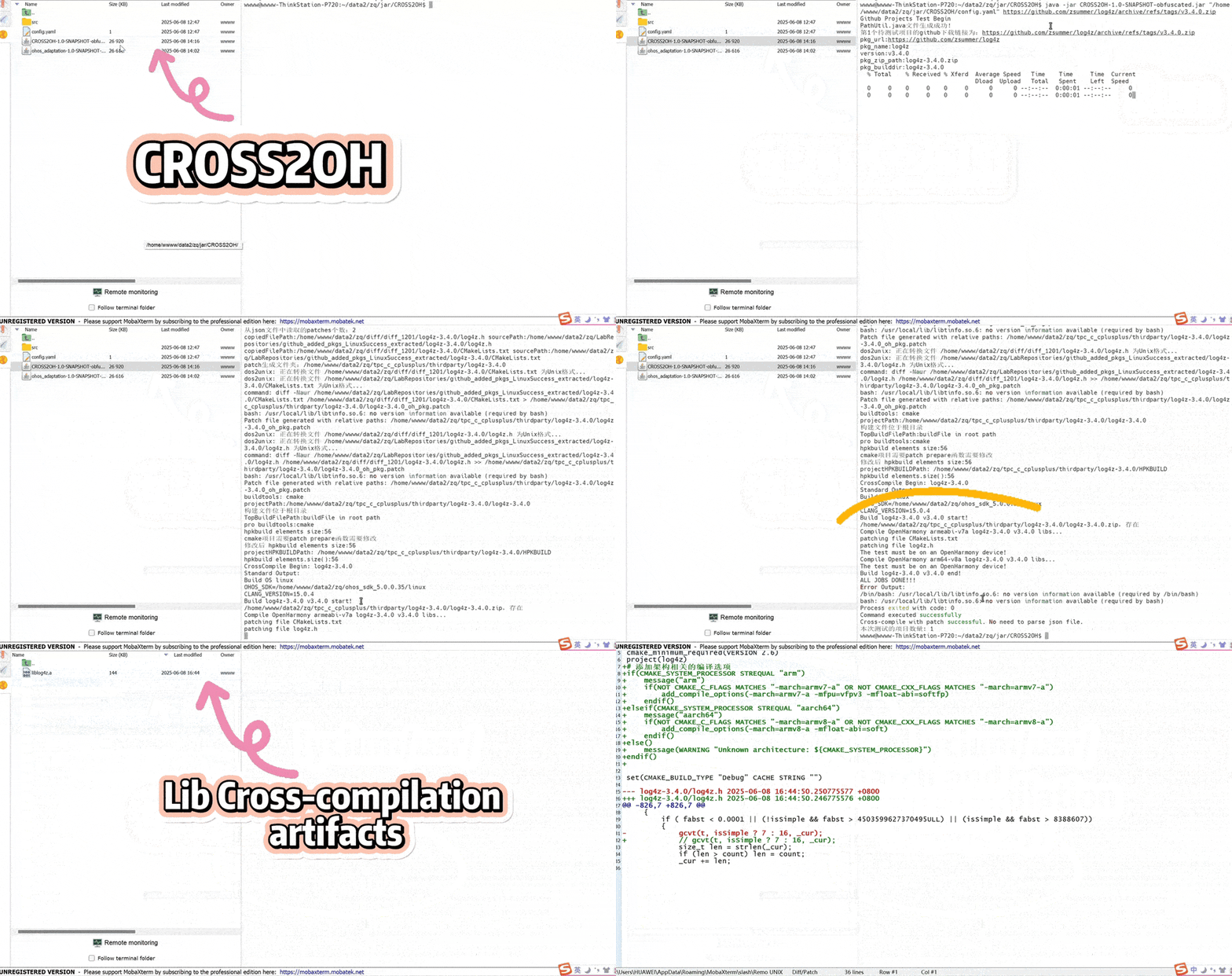
The following GIF demonstrates an example of using CROSS2OH with the log4z library as the target C/C++ software to be ported. The process automatically performs the following steps:
(1) an initial cross-compilation attempt, which fails and terminates due to errors;
(2) running CROSS2OH to detect CPI issues and generate the corresponding *.patch files;
(3) repeating the cross-compilation, which now succeeds.
Finally, we can observe that the resulting artifacts (e.g., *.a and *.h files) are generated in the lycium/usr directory. These artifacts are usable within the OpenHarmony environment. Additionally, the *.patch files and the cross-compilation log (build.log) can be found in the thirdparty/ directory.